
Main article: Free combat
Lock-on keeps one enemy in the centre of your screen while you fight. Tap the middle mouse button and you lock on to the enemy under your crosshair, or the best one in front of you. Tap it again to let go.
On a controller, click  . The button can be changed in Game Settings > Controls > Lock-on button: middle mouse (default), mouse button 4, mouse button 5, R or V.
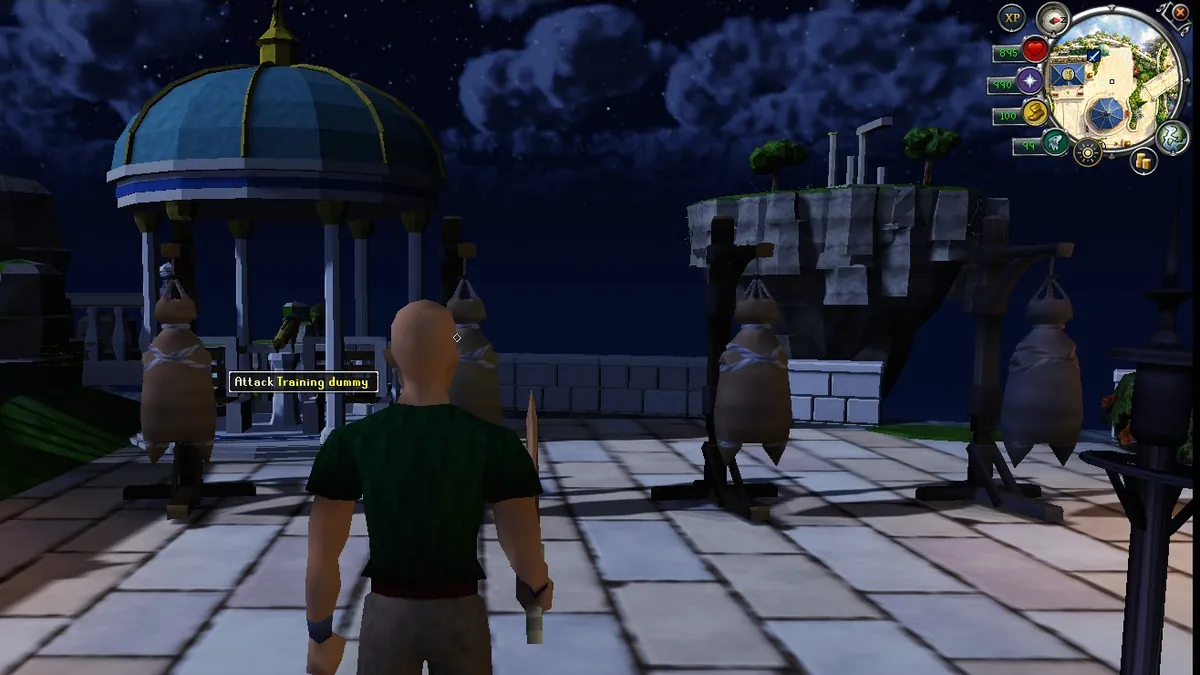
What it does
- A small white diamond marks the enemy you are locked on to.
- The camera keeps it centred. You face it and side-step around it as you move with WASD. While you sprint you face where you run.
- Everything aims at it: your swings, arrows, bolts, spells and god powers go toward the locked monster.
- A locked monster takes your shot first. Since 2.1.15, when you fire a bow, crossbow or spell along a line that passes through the monster you are locked on to, the shot hits it even if another monster walks in front. This only applies when the locked monster is on your shot's line, in range and in sight. Shots are never bent or made to follow it.
- Other players see you face the enemy you are locked on to.
Picking a target
- Tap with the crosshair on an enemy to lock on to that enemy.
- Tap with nothing under the crosshair to lock on to the best enemy in front of you: within 12 tiles and in sight, preferring the nearest and the one most in front, and a monster that is fighting you over one that isn't.
- Nothing to lock on to? The tap swings the camera round behind you instead.
- Switch target by flicking the mouse left or right (on a controller, flick
 ): you move to the nearest enemy on that side. With the cursor showing, you can also tap another enemy.
When the lock lets go
The lock never picks a target by itself, and it lets go when:
- the enemy dies,
- it gets more than 16 tiles away,
- it has been out of sight for 2 seconds,
- either of you teleports or changes floor,
- you die, a cutscene starts, or you log out.
What you can't lock on to
- A monster another player is fighting. It stays theirs.
- Players outside PvP. You can only lock on to a player where you could attack them, inside your Wilderness level range. How shots at a locked player behave is on PvP.
Things to know
- Lock-on is part of free combat. With classic click controls the middle mouse button turns the camera, as it always did.
- The camera holds still while a window or menu needs the cursor.
- Picking R or V as the lock-on button means that letter locks instead of typing, except while the chat line or a text box has the keyboard. A key you use for lock-on can't also be a movement, panel or hotbar key.
See also
What links here (25)
- Attacking and combos
- Controller support
- Controls
- Damage and attack speed
- Defence
- Dodge roll
- Eating, potions and staggers
- Free combat
- Game Settings
- Glossary
- Keybinds
- Magic in free combat
- Main Page
- Monster attacks
- Parties
- Patch notes
- PvP
- Ranged in free combat
- Reach, arcs and cleave
- Runes and ammo
- RuneScape version
- Special attacks
- Stamina
- Weapons
- Wilderness